atdsutm's homepage
Bookmark this to keep an eye on my project updates!
Welcome to atdsutm’s github page!
Here contains my work on any stream related content that I’ve made.
Designs
GuliKit Kingkong Series
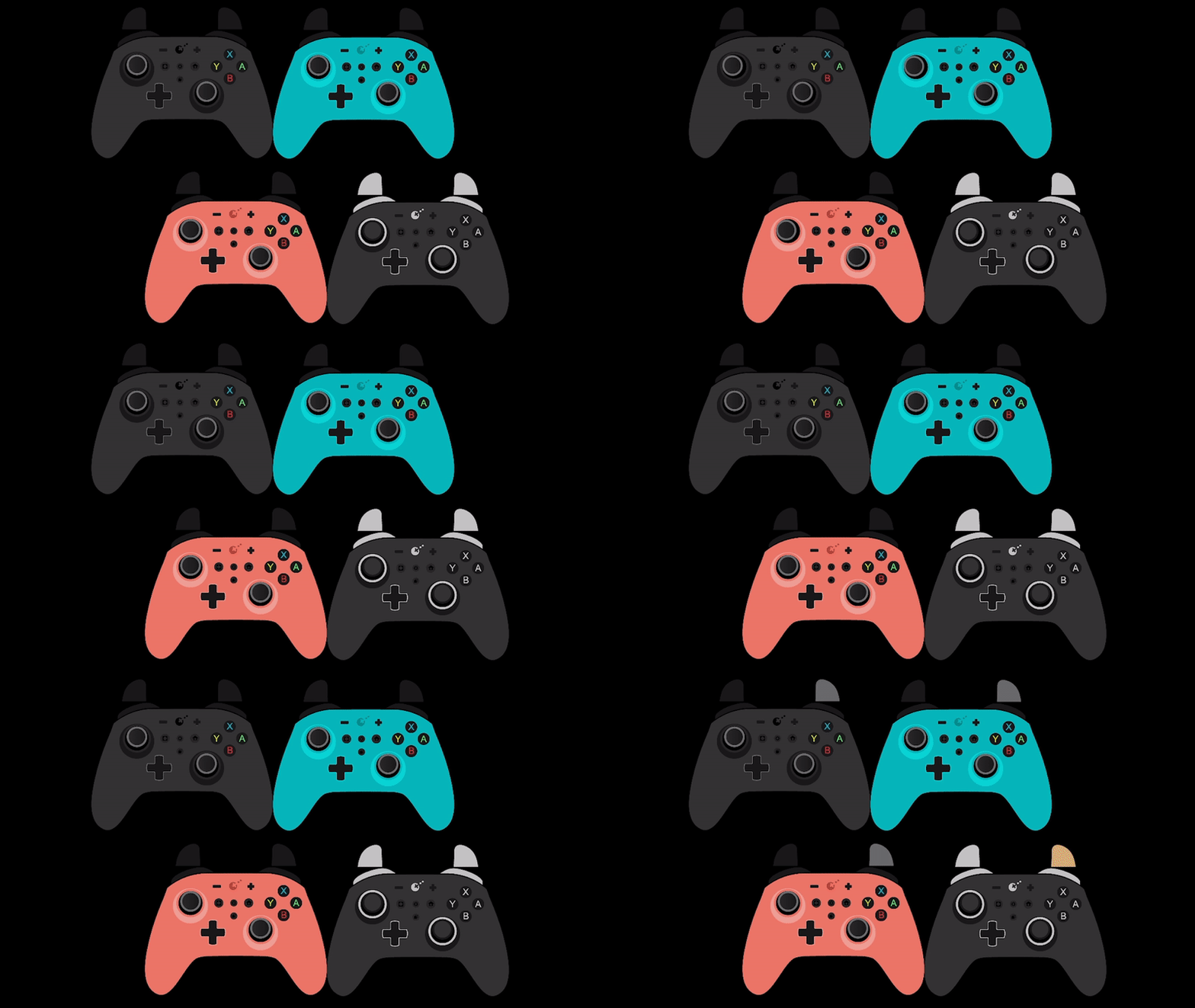
I made a custom controller layout for gamepadviewer. The design has 4 basic colors of blue, pink, black and pro version. I will try to find time to make the new Regular Black 2, Pro 2 and a white version (when Gulikit releases it).
Credits to Gulikit for sending the vector file.
How to use:
- Connect your controller and visit Gamepadviewer.
-
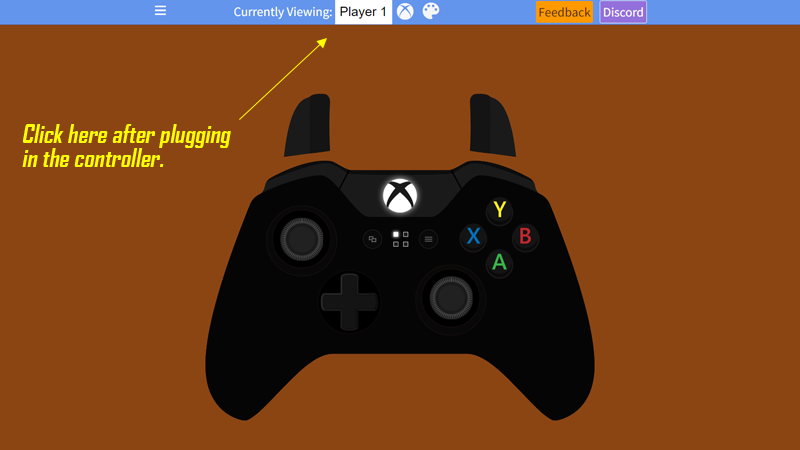
Activate your controller and press any input and a drop down option should appear above. Set them it to “Xbox One and Player One”. Playstation 4 can also be used.
-
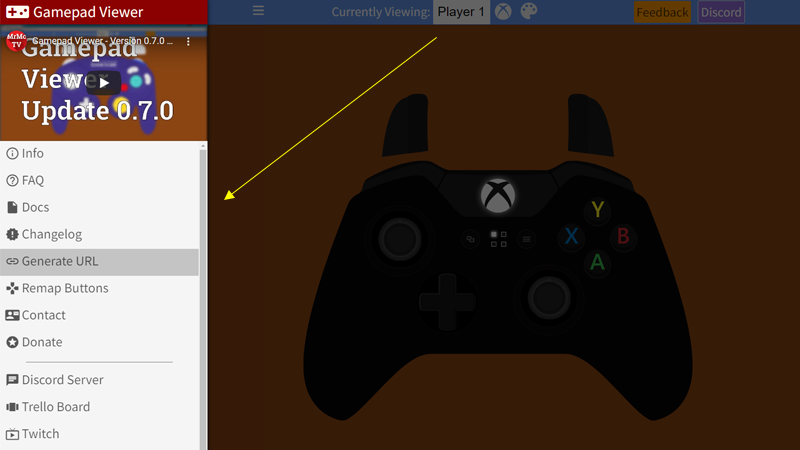
Once the controller appears, go to generate URL on the left side.
-
To apply the design. Place a custom css link of your choosing below and place the custom CSS URL. The custom design should override the previous controller, but you won’t see it change here.
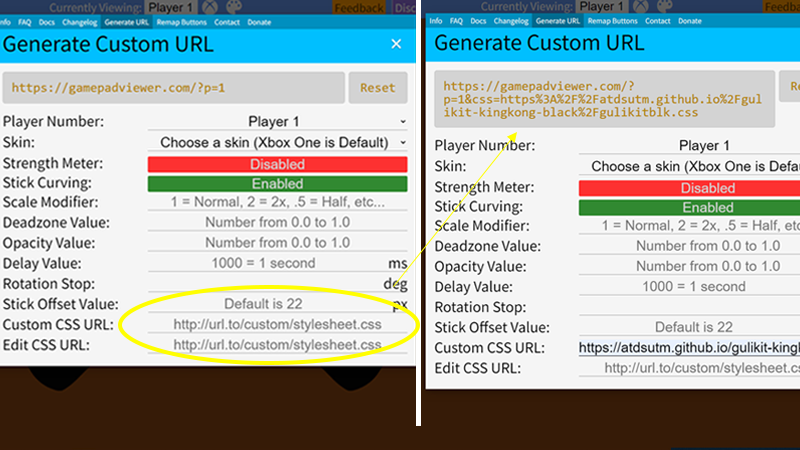
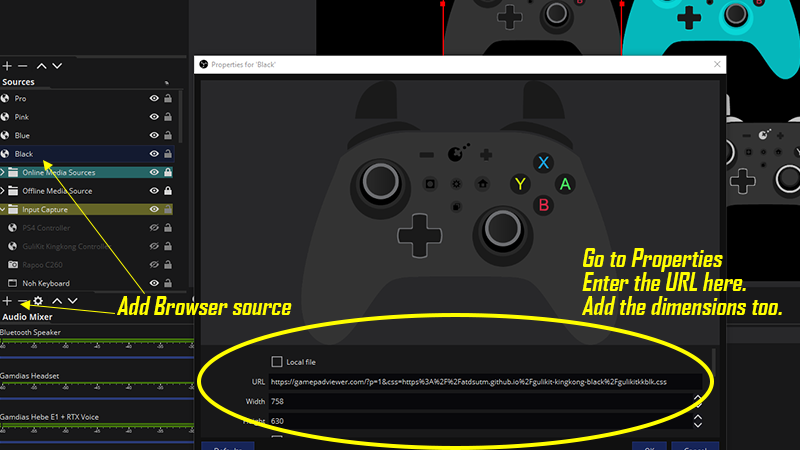
- After placing the custom css link, the new “generate link” should change. Use it on OBS’s “Browser Source” function.
Custom CSS links
Black:
https://atdsutm.github.io/gulikit-kingkong-black/gulikitkkblk.css
Blue:
https://atdsutm.github.io/gulikit-kingkong-blue/gulikitkkblue.css
Pink:
https://atdsutm.github.io/gulikit-kingkong-pink/gulikitkkpink.css
Pro:
https://atdsutm.github.io/gulikit-kingkong-pro/gulikitkkpro.css
Pro 2 / Zen Pro Black
https://atdsutm.github.io/gulikit-kingkong-pro2zenproblack/gulikitkkpro2.css
Black 2
https://atdsutm.github.io/gulikit-kingkong-black2/gulikitkkblk2.css
White
https://atdsutm.github.io/gulikit-kingkong-pro2white/gulikitkkpro2white.css
Zen Pro Blue
https://atdsutm.github.io/gulikit-kingkong-zenproblue/gulikitzenproblue.css
Zen Pro White
https://atdsutm.github.io/gulikit-kingkong-zenprowhite/gulikitzenprowhite.css